3D SCADA Applications: Use Cases, Architecture and Migration Guide
What is 3D SCADA and how does it differ from 2D HMI screens? 3D SCADA applications in energy, water, process and manufacturing, its architecture and how to migrate.
- 3D SCADA
- Digital twin
- SCADA
- HMI
- OPC UA
- Industry 4.0
- Energy automation
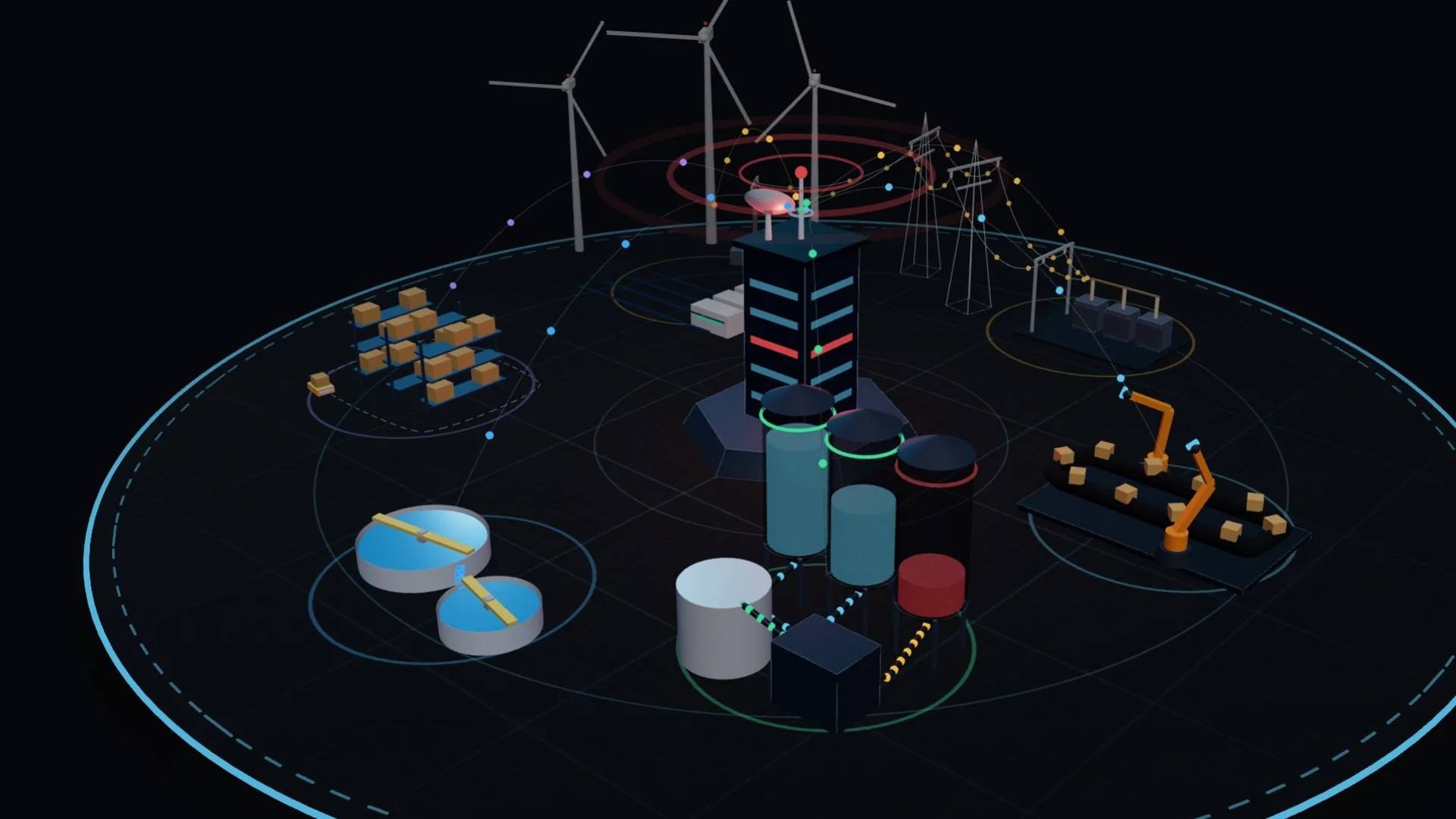
3D SCADA applications display live data from field PLCs, RTUs and sensors on a true-to-life three-dimensional model of the plant. Operators see an alarm on the faulty equipment itself rather than as a row in a table. In this article we explain how 3D SCADA differs from classic 2D HMI screens, which architecture it is built on, where it delivers the most value by industry, and how to adopt it without disturbing your existing SCADA system.
What is 3D SCADA?
SCADA (Supervisory Control and Data Acquisition) is the software layer that lets you monitor and control equipment spread across a site from one place. Classic SCADA screens are schematic, two-dimensional mimic diagrams. 3D SCADA binds the same data to a 3D model of the facility, a digital twin: a silo’s level rises inside the silo, a running pump changes colour, and a faulty inverter flashes at its real position on site.
The screen no longer only tells you what is wrong; it shows you where. On large sites, multi-storey plants and complex process lines this directly shortens response times.
2D HMI vs. 3D SCADA
- Location: on a 2D screen equipment is a symbol; in 3D it sits where it really is, so field technicians know what to look for and where.
- Context: the line, tank or transformer an alarm affects is visible in the same scene, with no jumping between screens.
- Onboarding: new staff learn the plant in the 3D model first, which makes training and shift handovers easier.
- Management visibility: non-engineers understand the plant status at a glance.
- Access: web-based 3D interfaces run the same way on desktops, tablets, phones and control-room video walls.
3D does not have to replace every screen. Dense, numbers-first command screens can stay 2D, while the 3D layer handles overview, location and alarm management. The best results come from the two working together.
3D SCADA architecture: from the field to the 3D scene
- Field layer: PLCs, RTUs, power meters, sensors and drives.
- Communication: OPC UA, Modbus TCP, MQTT, and in energy plants protocols such as IEC 60870-5-104 and IEC 61850.
- SCADA / data server: your existing SCADA software (e.g. Siemens WinCC, PCS 7 or Ignition) or an IIoT gateway. Alarms, history and access control stay here.
- 3D visualisation layer: an optimised 3D model of the plant (Three.js / WebGL, Unity or Unreal Engine) is bound to the data points, turning every tag into an object’s colour, level or motion.
- User interface: role-based views, alarm lists, trends and reports, on the web, on mobile or in the control room.
The key advantage of this setup is that the control logic stays as it is. In most projects the 3D layer only reads data; critical commands keep going through the existing, validated SCADA infrastructure.
3D SCADA applications by industry
Solar power plants
Hundreds of inverters, strings and transformer stations are monitored on a mapped 3D site. A string with low yield or an inverter in alarm appears at its exact location, so maintenance teams go straight to the right spot. See our solar plant 3D SCADA system.
Wind farms
Power, wind speed, nacelle and blade status are tracked per turbine in one scene, and you can step inside a turbine to inspect subsystems such as gearbox or generator temperature. See the wind farm 3D SCADA system.
Transmission, distribution and substations
Feeder, breaker and transformer loads are shown in a 3D substation model next to the single-line diagram, and the impact area of an outage is visible on the map.
Water and wastewater
Pumping stations, reservoirs and treatment basins are monitored with level, flow and pump status. High and low level alarms appear on the tank they belong to.
Process plants: silos, concrete and batching
Silo levels, recipes, conveyors and mixers are read directly from the 3D model, and a silo approaching a critical level stands out. Examples: our 3D concrete plant and silo visualisation demo.
Manufacturing lines and robotics
Cycle time, OEE and stop reasons for robot cells, conveyors and stations are shown on the line itself, so the bottleneck station is visually obvious.
Central control rooms
Many sites in different cities are managed from one 3D interface. The video wall overview and the operator’s detail screen are fed by the same data source. See control room management.
Benefits for your operation
- Faster fault location and response
- Less alarm fatigue: alarms appear prioritised and in context
- Remote monitoring with fewer site visits
- Faster training of new operators
- Transparent energy and efficiency tracking at management level
- One shared, visual platform for Industry 4.0 and digital transformation projects
Moving from your current SCADA to 3D SCADA in 5 steps
- Analysis: which sites, equipment and tags should appear in 3D? We map your existing SCADA, PLCs and network.
- Modelling: a lightweight, real-time-ready 3D model is built from CAD drawings, layout plans or site photos.
- Data connection: the 3D layer connects to your SCADA or PLCs via OPC UA, Modbus or MQTT, and the tag list is mapped to model objects.
- Interface and roles: separate views for operators, maintenance and management, with alarm, trend and report screens.
- Testing and commissioning: testing with simulated data, then go-live, training and support.
One team runs every step: 3D modelling and digital twins, real-time systems and interactive 3D web.
Checklist for planning a 3D SCADA project
- Is the data source defined (existing SCADA, PLCs, database, cloud)?
- Are protocols and network design (OT/IT separation, firewalls) agreed?
- Does the model’s level of detail fit its purpose? Not every bolt needs modelling; performance matters.
- Which devices will it run on: control room, tablet, phone?
- Are access rights, user roles and logging requirements defined?
- Will operators send commands, or is the 3D layer for monitoring only?
Conclusion
3D SCADA does not replace your automation stack; it makes it visible. Done right, it adds “where, and what does it affect” to every “what happened”. Contact us to discuss which screens of your plant are worth moving to 3D, or explore our live demos.
FAQ
Frequently asked questions
Does 3D SCADA replace my existing SCADA system?
No. In most projects the 3D layer reads data from your existing SCADA (e.g. WinCC, PCS 7, Ignition) or PLCs, while alarms, history and control logic stay where they are. It can also be delivered as a complete monitoring and control solution.
Which protocols does 3D SCADA use?
OPC UA, Modbus TCP and MQTT are the most common. In energy plants, protocols such as IEC 60870-5-104 and IEC 61850 can be connected through gateways.
What if we have no 3D model of our plant?
We build one from CAD drawings, layout plans or site photos, simplified into a lightweight model that runs in real time.
Which devices does a 3D SCADA interface run on?
Web-based 3D interfaces run without installation in desktop browsers, on tablets and phones, and on control-room video walls.
Which plants benefit most from 3D SCADA?
The benefit is clearest for sites spread over a large area (solar, wind, water networks), multi-storey or complex process plants (silos, concrete, chemicals) and operators who manage several sites centrally.
Blog
From the blog
What Is a Digital Twin? Digital Twin Applications in Türkiye and Ankara
What is a digital twin, how does it work and what types exist? Digital twin applications in Turkish industry, energy and cities, and a 6-step guide for plants in Ankara.
Read more →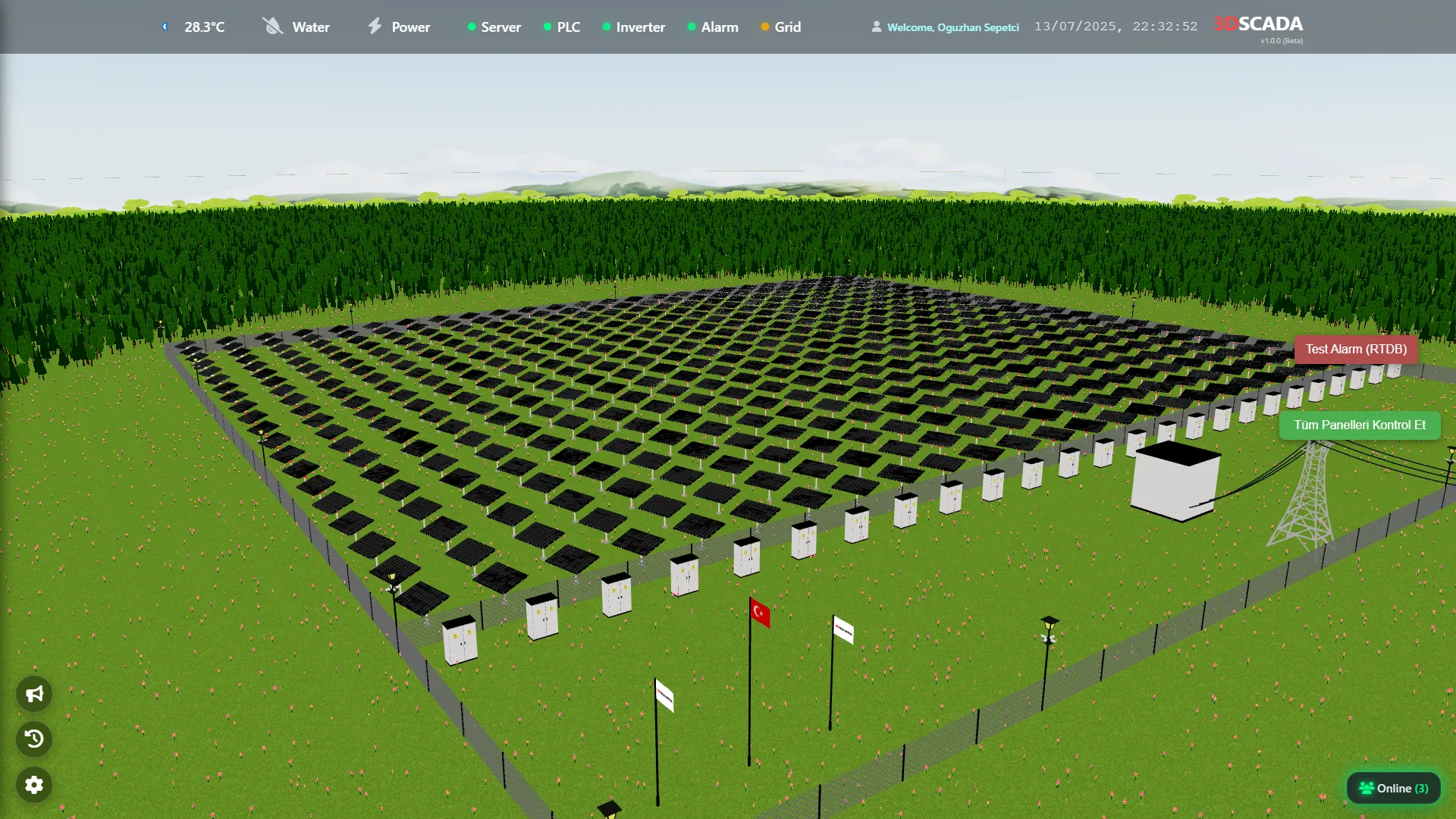
What is 3D SCADA and how does a digital twin help your plant?
A practical introduction to 3D SCADA and digital twins — what they are, how they differ from classic 2D HMIs and where they pay off.
Read more →Ready to bring your project to life?
Contact our expert team and discover your custom solution.